 Mantys Core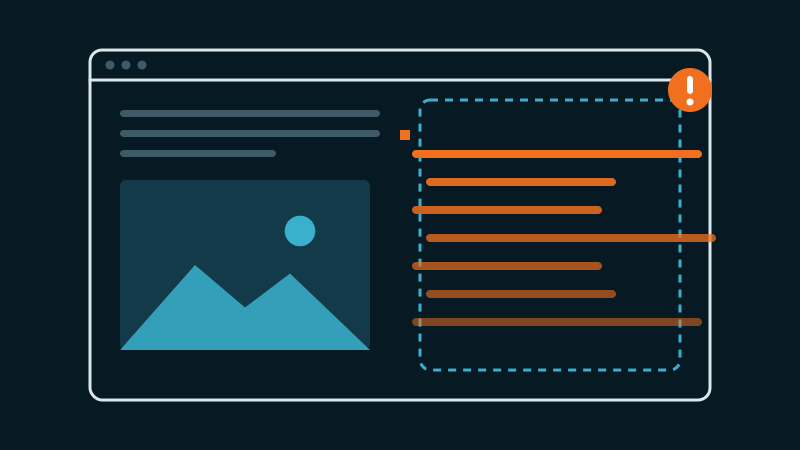
You turn on critical CSS (only injecting the styles for the first paint) or the “Remove unused CSS” option to gain points on PageSpeed. The score goes up. And suddenly: your search overlay shows up wide open on load, your mobile menu is unfolded, a button gets its ugly default grey border back. You reload, clear the cache… nothing helps.
The most puzzling part: when you inspect the code, the CSS rule is right there in the HTML. But the browser does not apply it. Here is the full explanation, and the fix that lasts.
What a critical-CSS generator really does
The critical-CSS idea is legitimate and effective: instead of loading your whole stylesheet before the first render (which blocks display), you extract only the CSS needed for the visible top of the page, inline it in the <head>, and load the rest later (defer).
To decide what is “needed”, the tool renders the page and looks at what is visible in the viewport at load time. Anything not visible at that instant is considered non-critical, or, in “Remove unused CSS” mode, outright useless and removable.
And that is where the trap is.
The real cause: “hidden by default” = “judged useless”
Think about what your interactive components look like at page load:
- the mobile menu: closed (
display:noneortransformoff-screen); - the search overlay: hidden (
opacity:0; visibility:hidden); - the modal, the drawer, the mega-menu: hidden;
- collapsed tabs and accordions: content masked.
All these elements are invisible at the moment the generator observes the page. It concludes, logically but wrongly, that their style is useless, and removes it from the critical CSS.
The problem: these elements are meant to appear later, on click, via JavaScript. But their style is gone. Two classic symptoms:
What breaks
The rule that hid them is gone. An
.overlay { opacity:0; visibility:hidden }removed → the overlay has nothing hiding it → it shows up open on load.The look rule is gone. A
button { border:0; background:none }not kept → the button gets the browser default style back (grey border, system fill).
The maddening symptom: “the rule is there, but ignored”
This is the point that costs hours. You inspect, you clearly see .overlay { visibility:hidden } somewhere in the minified HTML. So why does the browser not apply it?
Because in a critical-CSS pipeline, there are two stylesheets:
- the inline critical (in the
<head>, applied immediately), stripped of your interactive rules; - the full stylesheet, meant to arrive deferred.
Three things go wrong, often at once:
- The full stylesheet arrives too late (after the JS has already tried to open/close the element), or not at all on some render paths.
- In “Remove unused CSS” mode, the rule was removed from BOTH stylesheets: it no longer exists anywhere.
- The cascade turns against you: a rule that is present but less specific (or loaded afterwards) loses to the inline or default style.
So “the rule is in the HTML” does not mean “the rule wins”. It can be present and dropped by the cascade, or present in a sheet not yet loaded at the critical moment.
Hidden menus and overlays are only one of the blind spots of these tools. The other device, content loaded later, icon fonts and entrance animations fail the same way; our guide on missing styles shows how to find each one.
The diagnosis traps (why clearing the cache is not enough)
Before fixing, you need to observe the real render, and there, three traps await:
- Separate mobile and desktop caches. Many engines generate a different critical CSS for mobile and desktop. You fix, you test on desktop, all good… but the mobile cache still serves the old broken version. Test and “warm” both, with the right User-Agent (the identifier the browser sends to signal whether it is mobile or desktop).
- “Clearing the cache” does not always clear the per-page critical CSS. The critical is often stored per URL, separate from the HTML cache. A “clear all” can leave stale critical files in place. You must target the generated CSS explicitly.
- The critical derives from a cached source. If it is regenerated from a stale version of your source stylesheet, your fix never shows up. You must force regeneration from the up-to-date source.
To see the real render without being fooled by the cache: add a dummy parameter to the URL (?cb=123) to force a fresh render, and compare with the normal URL.
The fix that lasts (and travels with your theme)
The temptation is to put the selectors in a plugin “safelist” (exclusion list). That works… as long as you keep that plugin, with that config. The day you change tools or rebuild the site, it breaks again.
The robust, portable fix is to take your truly critical rules out of the optimizable CSS, and inline them yourself in a protected way:
a. Identify the “never touch” rules
- the default hidden state of each interactive element (
display:none,opacity:0; visibility:hidden…); - the reset of buttons/controls (
border:0; background:none…); - the full styling of the element once open (so it is correct from the very first open);
- make these components self-sufficient: a button must carry its own style, without depending on a utility class that could itself be optimized.
b. Inline them after the head is rendered
Place these rules in a <style> block after the call that generates the <head> (in WordPress: after wp_head(), typically in header.php). That way they arrive last and win the cascade over the critical inlined higher up.
c. Mark the block as non-optimizable
Tell the optimization engine not to touch it. Most respect dedicated attributes:
<style data-no-optimize="1" data-no-minify="1" data-no-defer="1">
  /* hidden state + button reset + full overlay style, hard-coded values */
  .search-overlay { opacity: 0; visibility: hidden; /* ... */ }
  .search-overlay.is-open { opacity: 1; visibility: visible; }
  .search-toggle { border: 0; background: none; color: #1a1a1a; }
</style>
d. Hard-code the values
Do not use CSS variables (var(--gold)) in this block: if your :root itself goes through the optimizer, the variable can end up undefined and your style collapses. Hard-code the color.
Decisive advantage: this fix lives in the theme. It works with the optimizer, without the optimizer, and survives a change of tool.
Where Mantys Core makes the difference
Every critical-CSS engine faces this dilemma: it cannot guess that a hidden element will be opened on click. So the real question is not “does this happen?” (it happens with all of them), but “does the tool give you clean levers to handle it?”.
Mantys Core is built for this:
it leaves inline style blocks in place: the block you added after
wp_head()is served as you wrote it, so the portable fix above keeps working;it lets you target the regeneration of the critical page by page, from the up-to-date source, without being trapped by a stale critical;
and it builds the critical CSS from separate mobile and desktop renders, instead of leaving you to guess which version serves what.
In other words: it does the heavy lifting of slimming down, while leaving you surgical control over the interactive components, instead of stripping everything and leaving you to repair.
In summary
- Critical CSS only keeps the style of the visible-on-load. Your hidden-by-default elements (menu, overlay, modal) are judged useless and removed.
- Misleading symptom: the rule is in the HTML but ignored: two sheets, a cascade that turns, or a plain removal.
- Diagnosis: beware the separate mobile/desktop caches, the per-URL critical that “clear all” does not purge, and the stale source.
- Lasting fix: inline the hidden state + full style of the interactive components, after
wp_head(), in a non-optimizable block, hard-coded values. It travels with the theme.
Comments
Stuck on a similar problem? Describe your setup and what you see. We read every comment and answer.
No comments yet. Be the first to share your case.